Why Is My Showit Website Not Showing Up on Google

You type your business name into Google, hit enter, and scroll… and scroll… and your website is nowhere on the page. (If you’ve done this, I feel for you, that sinking feeling is the worst.)
Quick reality check before you spiral! In 2023, Ahrefs looked at about 14 billion pages and found that 96.55% of them get zero traffic from Google. That number covers pages of every kind, so it says nothing about your site in particular. It does tell you that being online and being on Google are two different things!
I’m a Showit designer, so I’ll lean Showit here (the thinking carries to any platform, only the button names change). Let’s figure out which of three things is going on… and what to do about each one.
Why is my Showit website not showing up on Google?
A Showit website usually isn’t showing up on Google for one of three reasons: Google hasn’t indexed the site yet, a page is set to “Ask Google to ignore this page” in Showit’s Advanced Settings, or the site is indexed but doesn’t answer what people are searching. Check indexing first, since nothing can rank until Google has the page.
I put them in that order on purpose. The first two are free to check and take minutes. The third is where people tend to reach for their wallet first… so let’s talk about that one before anything else.
Why paying for SEO first can be the wrong move
I have seen people spend money on everything from an SEO consultant to a marketing agency running ads left and right, and it’s just wasted money. (This is not true of every single person or every single agency, so please don’t hear it as a blanket statement!) But I’ve seen SO many agencies go surface-level.
Here’s how it tends to go: They come in and say, “Okay, I’m going to do your SEO,” and then they don’t look at anything except the basic SEO pieces. You sell apples? Great. They make sure your page titles include the word apple, that it’s in your meta description, and that the word apples shows up throughout your pages. That way everything is covered, and that’s it.
Then they upsell you on packages to track how the changes are going, and it’s thousands of dollars a month. At some point it feels like a scam, because nobody is making changes based on YOUR audience, or on what the analytics are saying (even though they’re tracking the changes). It’s just “Is this keyword working? No? Okay, swap the keyword.”
I get it… they have a very specific niche and they’re speaking SEO. But SEO has to be informed by the brand and by the goals of the brand: where is this business going, what was the brand strategy, what was the website strategy? All of those pieces are missing, and most clients don’t have them handy. Those agencies are NOT asking.
And right now… in the world we live in, some agencies are handing clients prompts to paste into a chatbot and have AI do a pass on the site (yes, for real). With ZERO context, the answers come back basic, and they might be wrong for what you actually needed.
Now, if you have NO titles on your pages, several H1s on one page, and no metadata, great. Those are basic fixes and they’re absolutely worth it! But honestly, it’s very rare that it’s just that.
If an agency has already told you the platform is the problem, the full story on that pitch is in this post.
So before you pay anyone (or swap a single keyword), find out which situation you’re really in. And if you’re thinking “Ingrid, I just want to know if Google can even see my site”… that’s the next section.
How to check whether Google can see your Showit site
Four checks (in this order to avoid overwhelm). Every one of them is something you can do at any moment from your own accounts:
Search your own site on Google
Type site:yourdomain.com into Google (with your real domain, of course). If your pages show up, Google has them, and you can skip down to the ranking section. If nothing shows up, keep going…
One catch: Google says a site: search doesn’t always list every indexed URL, so a missing page isn’t proof that Google doesn’t have it. That’s what the next check is for.
Ask Google about one specific page
In Google Search Console (and yes, it’s free), paste the full URL of a page into the URL Inspection bar at the top. It tells you whether the page is on Google, and when it isn’t, it usually tells you why. Google also recommends this tool for requesting a crawl of a single URL.
If your site has never been connected to Search Console, this is your sign to do it. Showit’s indexing help walks through adding your site and submitting your sitemap.
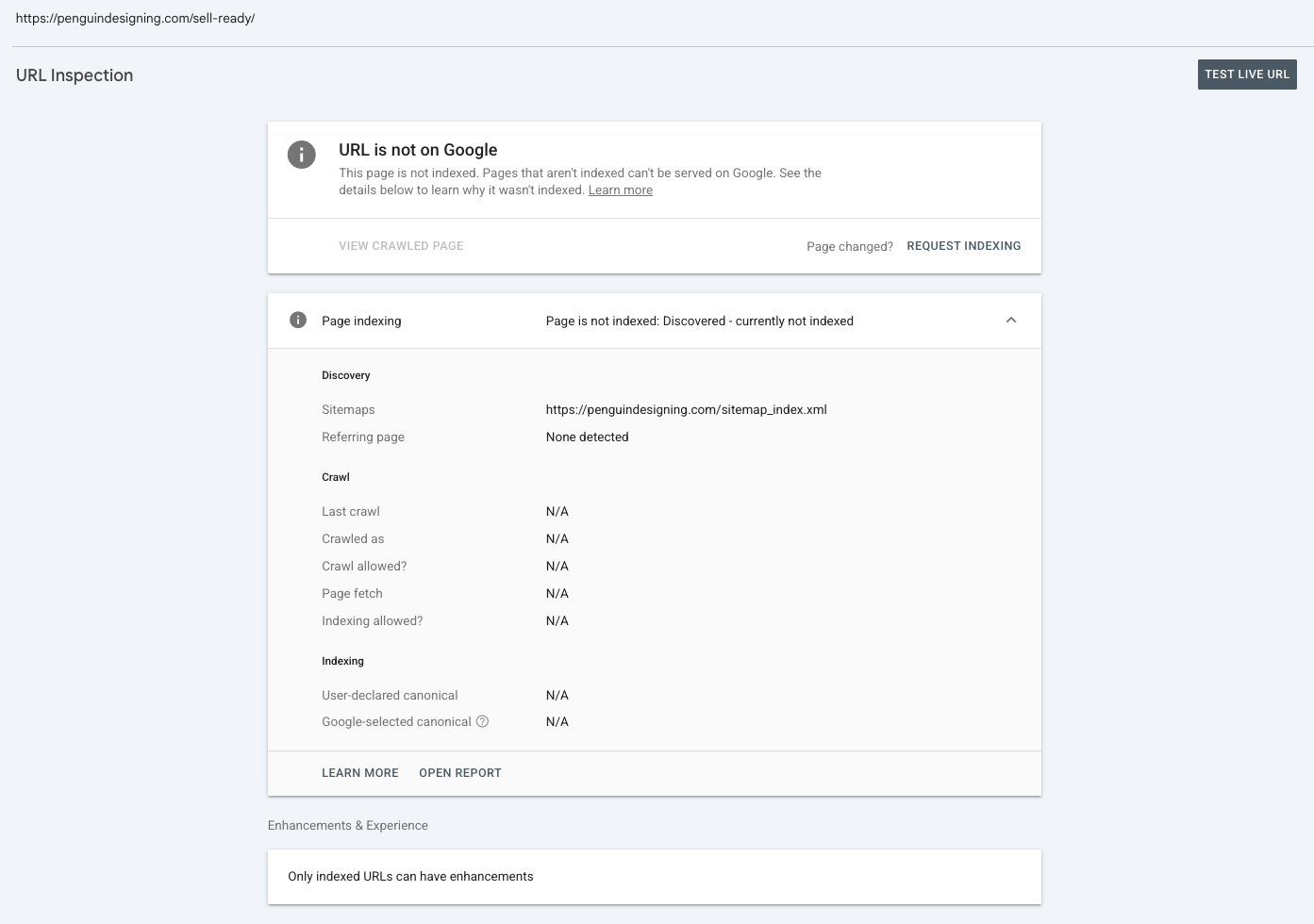
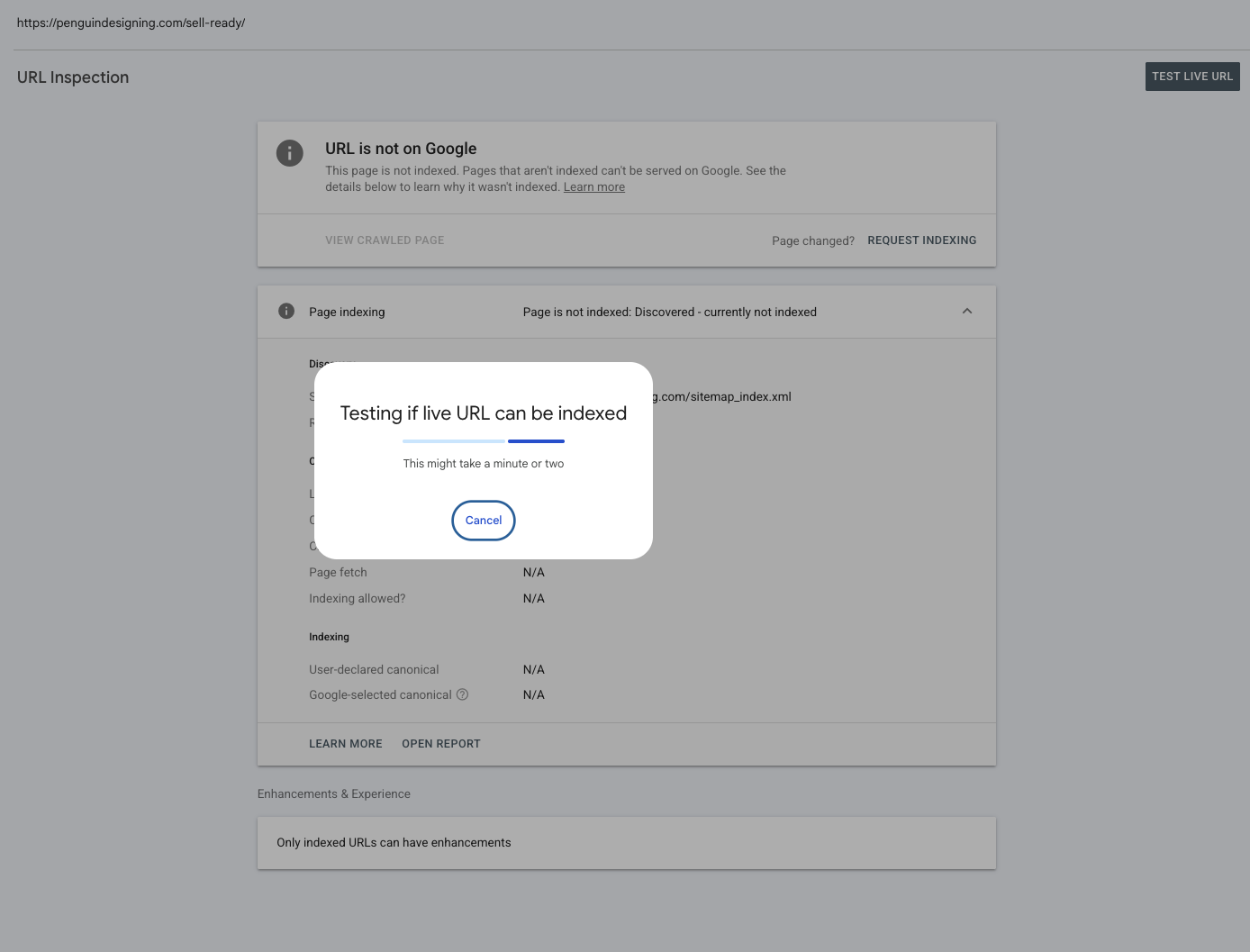
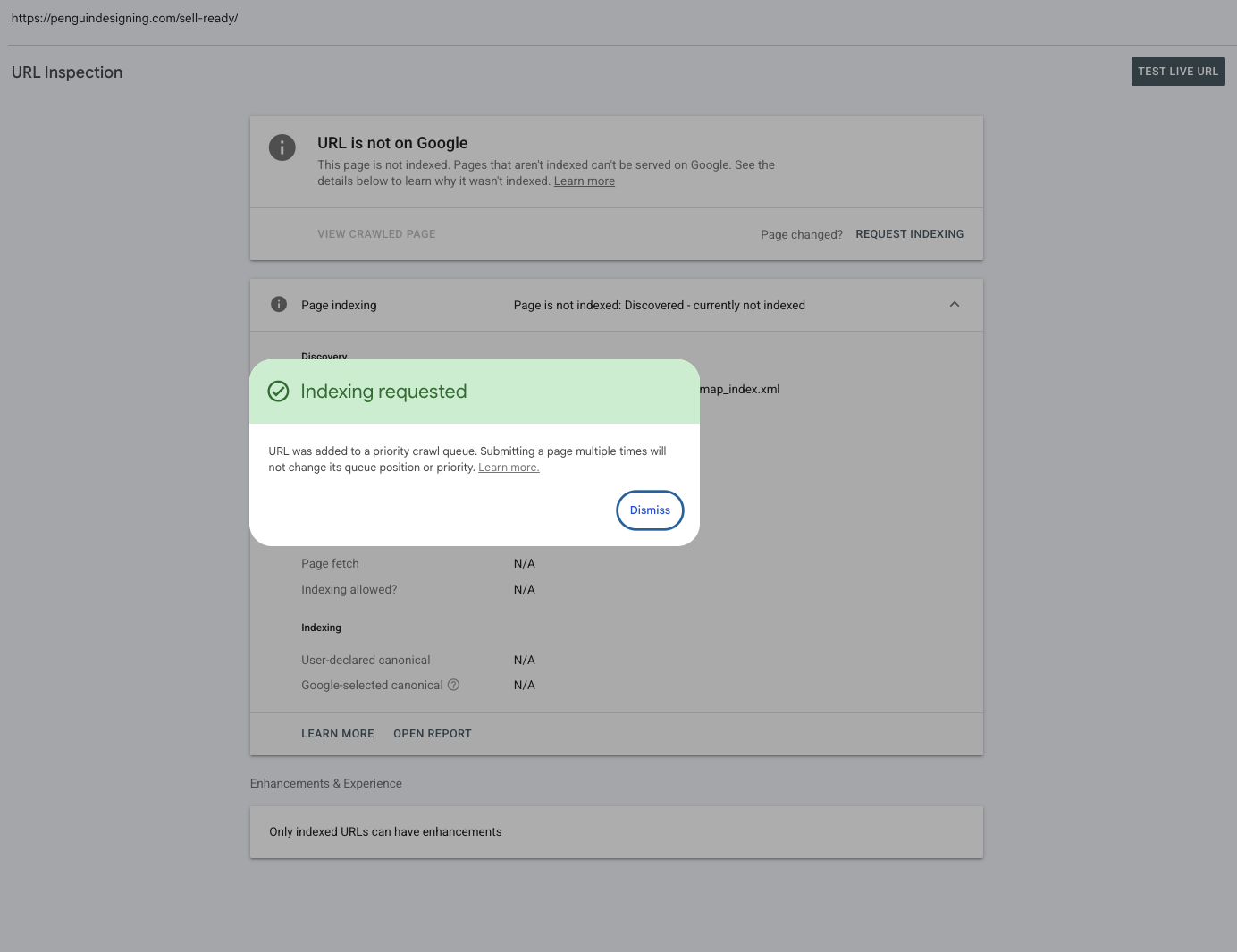
Check the setting inside Showit
In the Showit editor, select the page, open the Advanced Settings tab in the right-side panel, and look at the “Ask Google to ignore this page” checkbox. It needs to be unchecked on every page you want people to find. If you hid a page while you were building the site, this is where you find out whether it stayed hidden.
Showit describes that checkbox as a request search engines may or may not follow, so a checked box is a VERY good reason for a page to be missing, and an unchecked one doesn’t promise it’ll show up.
Check your blog settings if your blog runs on WordPress
If your Showit blog runs on WordPress, open Yoast SEO, go to Settings, then Content Types, and make sure “Show Posts in search results” is turned on for both Posts and Pages. That one comes straight from Showit’s indexing help, and it’s easy to miss because it lives outside the Showit editor.
Give Google time (and don’t smash the button!!)
Google says it can take anywhere from a few days to a few weeks for a page to get crawled. Submitting the same URL over and over won’t speed it up, and requesting a crawl doesn’t guarantee a page gets included in results, instantly or at all. So if the site launched last week, the answer might just be weeeeks, not a broken setting!
And if the site went live after a redesign and things have dropped, this post covers what to check and what to leave alone. It has a whole section on giving it time before you assume something’s wrong, and one on keeping your redirects live.
Want to save this post?
Just add your name + email and I’ll send it straight to your inbox!
Plus, you’ll also receive a weekly moneymaking move, just like this one.
What actually moves the needle once Google has your site
Once Google can see you, the question changes: does each page answer what your buyer is actually typing in?
Start with the basics, because they matter! Showit’s own blog put together six settings that can hurt your rankings, and these are the two I’d check first:
- Every page needs its own title, description and share image. Showit does not copy your homepage settings across the site, so a blank page is a page where Google has to guess.
- One H1 per page, set on purpose. Showit assigns the text tag based on the text style you pick, so a Title style used for looks can create several H1s, and a real heading styled as Paragraph can leave the page with none. Select the text box, open Text Properties, and set the Text Tag yourself.
The rest of that list (image alt text, hidden elements, image size, checking your mobile canvas) is in the article, and my full walkthrough of the Showit SEO settings goes screen by screen.
After that… it comes back to the part those agencies skip. Open Search Console and look at the searches your pages already show up for. Are they the ones your buyer would type? If they aren’t, swapping keywords is unlikely to fix it, because the page is answering a different question. That takes the brand strategy, the website strategy, and the words your people use for their own problem (not yours).
I audit my own site after every launch and again every quarter, because real data is the only thing that tells me what’s working. And if the blog side of this is on your mind, I wrote more about why targeted content beats posting consistently.
Where to start this week
If you’ve been needing a nudge to stop paying for guesses, let this be your sign. Here’s the order I’d go in…
- Search site:yourdomain.com and see what Google has.
- Run your most important page through the URL Inspection tool in Search Console (and connect your site first if you haven’t).
- Open Advanced Settings on each page and uncheck “Ask Google to ignore this page” on anything you want found.
- Fill in the title, description and share image on every page, and give each page one H1.
- Look at the searches you already show up for, and ask whether a buyer would type them.
Steps 1 through 4 are yours to do, and they’re free! If you’re indexed, set up properly, and the right people still aren’t finding you, that’s when a person reading the whole picture beats a keyword swap. That’s what my SEO Visibility Blueprint is: a foundational SEO audit and strategy for your whole site, from audience research and a technical audit to keyword mapping for your Showit pages, content gaps, page titles, meta descriptions and H tags.
And if you’d like to start with something free, my Website Optimization Checklist is a self-assessment you can work through one task at a time, nine key areas and 27 checkpoints.
Go you!! Start with step one and see what Google says.
filed under:

I'm Ingrid, welcome! I'm a branding designer + Showit Design Partner, doggy mamma, and tea drinker.
get to know me »




P.S. Found value in this post? You can always drop a little something in the treat jar — this goes toward treats for my pup (yes, Yui loves it) and fueling more great content! 💜
Ready to turn your website into a powerhouse lead generator even on a saturated market?
My free guide, "5 High Converting Website Tricks", gives you key strategies to create a website that showcases your brand, attracts your ideal clients, and is ready to convert them into paying customers.
Download now for free!
Featured Case Studies
Jen Wagner Co
Shopify to showit with Woocommerce shop Migration
TIQUE
Custom Brand + Showit Website + Shop

Blanc Salváge
Brand Strategy + showit Shop Design + Copywriting

Revitalized Health & Wellness Counseling
Custom Brand + Website

Wordfetti + Wordshop
showit Website + shop Design & Development

Editorial Stock Images
showit shop + Multi-level Membership


Amy Posner
Brand Strategy + Custom Brand + Showit Website

Our clients lead their industry.

Hi I’m Ingrid
I design strategy-led brands and Showit websites that confidently represent you.
I’m a designer with a magic touch for monetizing websites. I’m also a tea-lover, dog momma, Ravenclaw, INFP and 2w3 (for all you personality-test nerds like me).
I’ve also been called a Showit website expert (been with them since 2013), and a sucker for understanding customer journeys, brand psychology, and consumer and sales psychology. My clients have some pretty cool results after working together, things like doubled shop conversions, booked-out services in weeks, and increased monthly revenue, among other cheer-worthy celebrations.