Showit vs Kajabi for Course Creators Who Run a Business

If you sell a course (or two, or five…) and you also run a service business, sooner or later the platform question shows up: do you put EVERYTHING on Kajabi, or keep your website on Showit and host the course somewhere else?
I’ll admit my bias right up front: I’m a Showit Design Partner, so I’ll lean Showit for the website. BUT there’s one very clear case where Kajabi wins!
Fun fact: when Showit put together its help article on membership options, its list of what works with Showit (and what doesn’t) was compiled with input from Penguin Designing (aka, me!). So yes… I have opinions here.
Should I use Showit or Kajabi for my course business?
Choose Kajabi if you want one account to run everything, from your email marketing to your website to the course itself. Choose Showit for your website, with a course platform like Kajabi, Circle or MemberVault connected behind it, if you run a service business with courses on the backend and want more freedom up front.
Can Showit host a membership or a course? It can, through the WordPress side of your site and the plugins that work with it. That’s a conversation for another day (and a more technical one!).
When Kajabi is the better call
If you want the all-in-one… Kajabi will win.
If you KNOW you want to handle everything in a single account, from the email marketing to the website, don’t try to piece it out across a handful of tools. Pick Kajabi and let it do its thing!
If one place for everything is what makes your week easier, that’s your answer!
(If you’re still weighing every website platform out there, not just these two, my guide to web platform options for small businesses is the bigger comparison this post belongs to.)
When Showit in front and a course platform behind it wins
Now, if you want more freedom, and you know you’re more service-based with a course (or a few courses) on the backend, this is where the split setup shines!!
You run your regular business on the front with Showit, and you connect something like Kajabi as the backend holder for your courses. That way you get everything you want out of a course platform, and you keep a regular business website that gives you that balance.
(Selling products instead of courses? My Showit vs Shopify comparison covers that side of the fence, and Showit vs Squarespace is the other platform match-up in this series.)
Why I’d rather your big course doesn’t live inside your Showit site
The only time I would recommend hosting your courses inside Showit is if you’re prepared to become basically the all-in-one yourself, from customer service to technical support for your students.
When your course lives on Kajabi (or any other third-party platform) and someone can’t log in? There’s customer support for that, and you can even point them straight to the platform’s own support team.
Obviously, you should always try to be the first contact for your students, because you want to give them a good experience, right? But you don’t control the platform, and they know it.
When the course lives on your own website, they know it’s you. You’re the one in charge of handling ALL of it…
In its membership options article, Showit says it has no built-in membership functionality, so memberships run through third-party options, and the WordPress membership plugins it lists as compatible need its Advanced Blog plan. Your Showit blog itself runs on a fully managed WordPress setup that Showit hosts for you, per its blog FAQ from June 2024.
So hosting the course inside your site means adding those pieces yourself… and keeping them running for every student who gets locked out.
That’s why I particularly prefer it when my clients have their big courses on a third-party platform. I don’t care if it’s Kajabi, Circle, MemberVault (which I love and use myself) or even ThriveCart Learn (or, as they call it now, ThriveCart Academy).
Because that way, your website gets to do what it does best… be the top of the funnel!
Your Showit site is home to the internal funnels for your different freebies, the different avenues that bring people into your universe. Once they’re in, the courses are all hosted separately on the course platform.
Multiple freebies, one course
This is especially useful for course creators, because you might have multiple freebies connected to a single course… and your website gets to focus on those funnels.
On the backend, Kajabi receives your students once they’ve gone through your value ladder and your offer ladder, so they sign up when they’re ready. Kajabi can take payments too, so it makes a really nice balance: Showit fuels your marketing, your blog and everything up front, and Kajabi keeps your courses, because hosting courses is what they dedicate themselves to.
That just makes it SO much easier on you!
This front-and-back setup is how I like to build for course creators: a custom Showit website with the funnels mapped in, connected to the course platform you already use. You can see how that works on my Showit website design services page.
How to decide which setup fits you
If you’re still on the fence, run through these before you pick:
- Do you want one account for everything, from email to website to course? Kajabi.
- Are you service-based first, with courses on the backend? Showit in front, a course platform behind it!
- Do you have several freebies feeding one course? Then a website built as the top of your funnel gives those funnels room to breathe.
- Are you ready to be your students’ tech support? If not, keep the course on a platform that has its own support team.
One thing to keep in mind, whatever you choose: because a course is a digital thing, once it’s out of your hands and into your customer’s, they CAN share, download and reshare any links you make available to them with your intellectual property. That’s true no matter what platform you’re on.
Not sure your current website is ready to be that top of the funnel? Grab my free Website Optimization Checklist, a self-assessment you can run on any website, wherever it’s hosted.
And if you’d rather talk through your own setup with me, book a Strategy Call: a 60-minute session for the decision you’re not sure about, before you move forward with something big.
Whichever way you go, I’m cheering for your course launch!!
filed under:

I'm Ingrid, welcome! I'm a branding designer + Showit Design Partner, doggy mamma, and tea drinker.
get to know me »




P.S. Found value in this post? You can always drop a little something in the treat jar — this goes toward treats for my pup (yes, Yui loves it) and fueling more great content! 💜
Ready to turn your website into a powerhouse lead generator even on a saturated market?
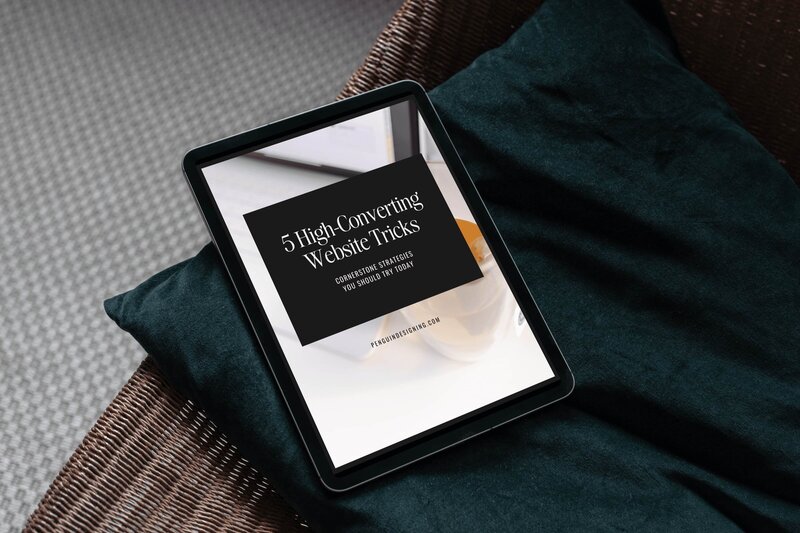
My free guide, "5 High Converting Website Tricks", gives you key strategies to create a website that showcases your brand, attracts your ideal clients, and is ready to convert them into paying customers.
Download now for free!
Featured Case Studies
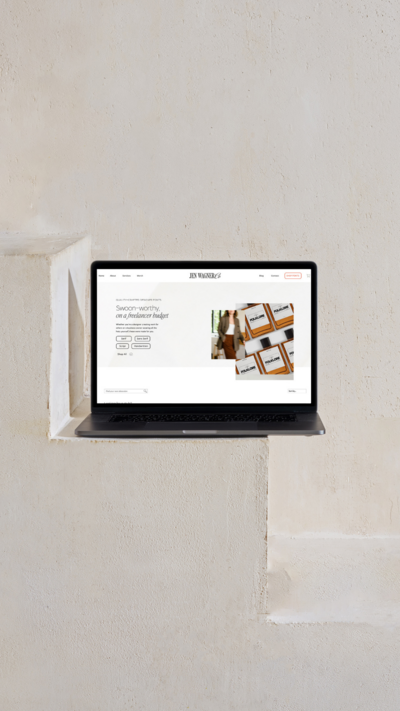
Jen Wagner Co
Shopify to showit with Woocommerce shop Migration
TIQUE
Custom Brand + Showit Website + Shop

Blanc Salváge
Brand Strategy + showit Shop Design + Copywriting

Revitalized Health & Wellness Counseling
Custom Brand + Website

Wordfetti + Wordshop
showit Website + shop Design & Development

Editorial Stock Images
showit shop + Multi-level Membership



Amy Posner
Brand Strategy + Custom Brand + Showit Website

Our clients lead their industry.

Hi I’m Ingrid
I design strategy-led brands and Showit websites that confidently represent you.
I’m a designer with a magic touch for monetizing websites. I’m also a tea-lover, dog momma, Ravenclaw, INFP and 2w3 (for all you personality-test nerds like me).
I’ve also been called a Showit website expert (been with them since 2013), and a sucker for understanding customer journeys, brand psychology, and consumer and sales psychology. My clients have some pretty cool results after working together, things like doubled shop conversions, booked-out services in weeks, and increased monthly revenue, among other cheer-worthy celebrations.