Showit vs. Squarespace: Which Platform Actually Fits How You Sell?

I get asked some version of this question almost every week: “Should I just build on Squarespace, or do I actually need Showit?” Sometimes it comes with a side of “and what about Kajabi, everyone in my coaching group swears by it.” Toooootally fair question. There are more website platforms shouting for your attention than there are hours in your launch week, and most of the comparisons out there are written by someone trying to sell you on whichever one they build in. I don’t have a side to pick here because I don’t get paid more if you land on Showit. I just want you picking the platform that actually fits how you sell, not the one with the loudest Pinterest ad (which, I’m not going to lie, some of them sound very convincing).
So let’s get into it. 💜
What Showit, Squarespace, and Kajabi are each actually built for
I’m going to be honest. I don’t think these three platforms are really competing for the same job. And I have seen them up close.
Showit is a design tool built for visual freedom.
It’s a true drag-and-drop canvas with WordPress running underneath it for blogging and SEO, which is why it’s the pick for photographers, coaches, and service providers who want a fully custom look and don’t want “custom” to mean “code” every time. Showit is also platform-agnostic on the selling side (aka, it currently doesn’t have one that’s native to them, which I see the win in that because you get to add exactly what you need). Add WooCommerce and you’ve got a real shop; keep it simple and it’s a fully custom brochure/portfolio-style site with a blog that actually ranks.
Squarespace is an all-in-one platform built for speed.
Templates, built-in scheduling, built-in email tools, and ecommerce baked right into every plan. You’re trading some design flexibility for a platform that holds more of the business plumbing under one roof.
Kajabi isn’t really a website platform at all, it’s a course and marketing platform that happens to include a website.
Products, memberships, email automation, and a branded app are the actual product. The website piece is there so you’re not stitching together five tools, not because Kajabi wants to compete with Showit on design.
So: if you’re a small business owner trying to decide between Showit and Squarespace for your main website, Showit gives you more design control and a true blog built for SEO, while Squarespace gives you more built-in business tools (scheduling, ecommerce, email) in exchange for a more templated look. I don’t think either one is “better,” they’re just built for different priorities.
And cost definitely matters here too! Showit and Squarespace both run on tiered annual or monthly plans that scale with your traffic and feature needs, so the starting price is rarely the whole story once you add a custom template, plugins, or ecommerce. Kajabi’s pricing works differently: you’re paying for the bundle (courses, email marketing, community, a branded mobile app) whether or not you use every piece of it, which is why it tends to feel pricier up front to someone who only wants a website. Pricing on all three changes often enough that I’d always check the platform’s own current page before you budget around a number you read somewhere else (including this post!)
Where founders get tripped up comparing platforms
This is where I see people lose a month of decision-making they didn’t need to lose in the first place: they’re comparing Showit to Kajabi like it’s an apples-to-apples choice. It’s most definitely NOT.
One’s a canvas, one’s a course operating system. If what you actually need is “a place to sell my course and email my students,” putting Showit and Kajabi side by side is the wrong comparison entirely… you’re really asking “do I need a design-first website AND a course platform, or will one tool cover both well enough?”
That’s a real good question, and it’s usually “it depends on your audience,” not “it depends on which logo you like more.”
The other big trap to be careful of is comparing based on what a platform looks like in someone else’s portfolio instead of what it lets you build. A fully custom Showit site took many design hours to get there, the platform didn’t do that alone!! (I can tell you from experience lol). A plain Squarespace site usually means nobody’s touched the template defaults yet, not that the platform can’t look custom (I’ve seen beautiful ones that got to be super custom by adding a lot of code).
If you want a little reality check on where your current site actually stands before you even start comparing new platforms, my Website Optimization Checklist walks you through a self-assessment that applies no matter which platform you’re on right now. Good first step before you spend a weekend demoing three different builders. 🎉
Once you’re out of the “which platform is prettiest” trap, here’s what I actually ask clients who are stuck choosing:
1. What are you selling, and how?
A done-for-you service business and a course creator with a membership have different needs on day one. Services and one-on-one work lean toward Showit’s design-first approach. Courses, memberships, and heavy email automation lean toward Kajabi. A shop sits in the middle, and both Showit (with WooCommerce) and Squarespace can carry it well. And being super honest here, most of my clients, because they are moving up into an educator position, teaching their peers and teaching everything that they know, we usually have a Showit website to keep it super simple for them to handle and we connect Kajabi, or Circle, or Skool to hold the actual course or membership.
2. Do you want a blog that ranks?
Showit’s WordPress backend is a really reliable content engine. Squarespace’s blogging has improved, but it’s not built with the same SEO depth. If content and search traffic are part of your growth plan long term, that’s not a small detail.
3. Who’s actually building it, you or a designer?
Squarespace’s templates are built to be DIY-friendly. Showit’s visual freedom is a gift in a Showit website designer’s hands and can feel like a lot more decisions in a beginner’s. Know which one you’re hiring for before you pick the tool.
4. Are you building for right now, or for where the business is headed?
This is the question people tend to skim over, and it’s the one that will cost you the most to get wrong later. I teach my clients to think in what I call my PDP Experience Loop, the Pre, During, and Post of every touchpoint in a customer’s journey with you. A platform choice isn’t just about the “Pre” of getting a site live. It’s also about the “During” of actually running your business on it, and the “Post” of what happens when you outgrow the starter plan. Switching platforms later is doable (I do it with clients all the time!), but it’s never free, in money or time, so think past launch week while you’re deciding!
5. How much of this are you building yourself, versus handing off?
I say this with love as someone whose actual job is building Showit sites for people: a DIY-friendly platform isn’t the immediate-win choice just because it’s easier. If you truly want to build and maintain the site yourself without touching code, weigh that honestly against how much you value full design control. The “right” platform is the one you’ll actually keep up with, not the one that wins an imaginary design contest. 😅
If you’re looking to compare Showit specifically against an ecommerce-first platform, I’ve written Showit vs Shopify: which platform actually makes sense for how you sell, which covers that side of the decision in more depth.
How to know which platform actually fits how you sell
Here’s the short version based on everything that I’ve said so far:
- If you’re a service provider or coach who wants a fully custom look and a blog built to rank, Showit is built for that!
- If you want ecommerce, scheduling, and email tools bundled in from day one and you’re comfortable with more templated design (or adding a lot of code), Squarespace covers more ground out of the box.
- If courses, memberships, and marketing automation ARE the business (not a side feature), Kajabi is solving a different problem than either website builder, and it might be the right answer even though it’s not really a “website platform” comparison at all.
- If you’re already Showit-curious, start with my broader platform comparison for the full lineup beyond just these three. And if WordPress is the one on your shortlist, I’ve got Showit vs WordPress covered too.
A few quick answers, since these come up every time:
Showit runs its blog on WordPress, which gives it real SEO depth, custom plugins, and full control over titles, headers, and structure, generally more technical SEO capability than Squarespace’s built-in blogging.
Yes, through WooCommerce for products and shop pages, though if courses and memberships are your main offer, a platform built specifically for that (like Kajabi) usually serves you better long term.
Probably not yet. Kajabi’s pricing reflects everything it bundles in (courses, email, community, app), and most of that sits unused if courses aren’t part of your offer suite.
Yes, and it’s one of the more common moves I help clients make! It’s a multi-part project though, not a one-click export, so plan it the way you’d plan any rebuild: content, SEO redirects, and a launch runway, not a weekend scramble.
None of this has to be a solo decision, by the way! If you’re stuck between two of these and want an outside expert opinion before you commit a quarter to building on the wrong one, book a Strategy Session Call: one 60-minute session to get clarity on the decision in front of you, platform included.
Whichever one you land on, remember that not everything is about the platform, it’s what you build on top of it that does the selling. 🫶
filed under:

I'm Ingrid, welcome! I'm a branding designer + Showit Design Partner, doggy mamma, and tea drinker.
get to know me »




P.S. Found value in this post? You can always drop a little something in the treat jar — this goes toward treats for my pup (yes, Yui loves it) and fueling more great content! 💜
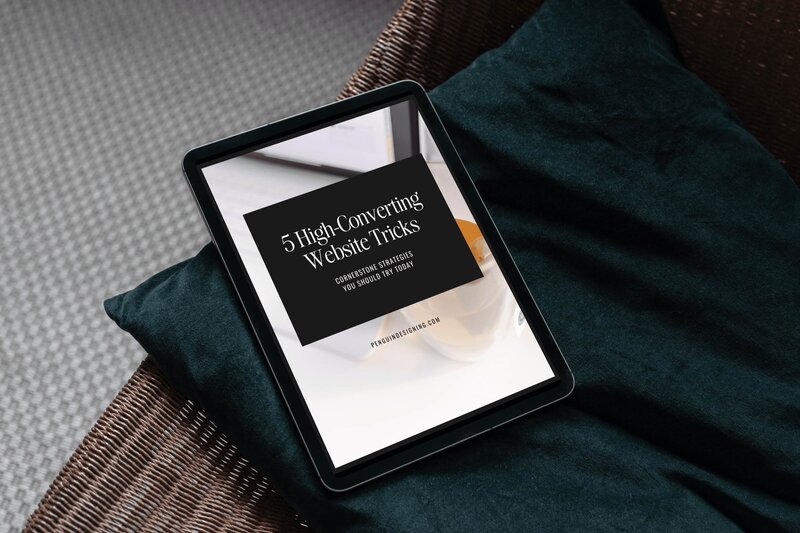
Ready to turn your website into a powerhouse lead generator even on a saturated market?
My free guide, "5 High Converting Website Tricks", gives you key strategies to create a website that showcases your brand, attracts your ideal clients, and is ready to convert them into paying customers.
Download now for free!
Featured Case Studies
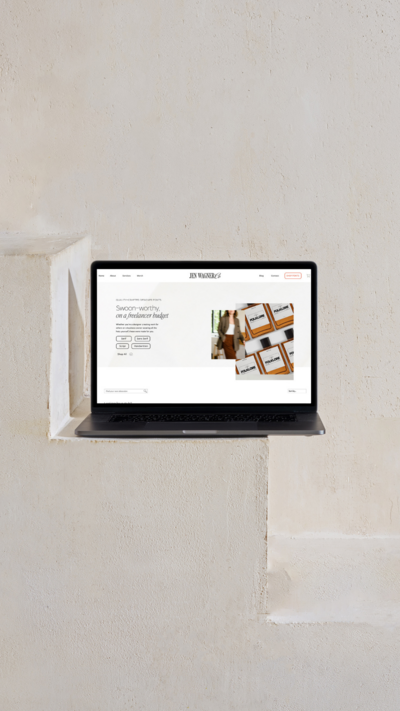
Jen Wagner Co
Shopify to showit with Woocommerce shop Migration
TIQUE
Custom Brand + Showit Website + Shop

Blanc Salváge
Brand Strategy + showit Shop Design + Copywriting

Revitalized Health & Wellness Counseling
Custom Brand + Website

Wordfetti + Wordshop
showit Website + shop Design & Development

Editorial Stock Images
showit shop + Multi-level Membership



Amy Posner
Brand Strategy + Custom Brand + Showit Website

Our clients lead their industry.

Hi I’m Ingrid
I design strategy-led brands and Showit websites that confidently represent you.
I’m a designer with a magic touch for monetizing websites. I’m also a tea-lover, dog momma, Ravenclaw, INFP and 2w3 (for all you personality-test nerds like me).
I’ve also been called a Showit website expert (been with them since 2013), and a sucker for understanding customer journeys, brand psychology, and consumer and sales psychology. My clients have some pretty cool results after working together, things like doubled shop conversions, booked-out services in weeks, and increased monthly revenue, among other cheer-worthy celebrations.