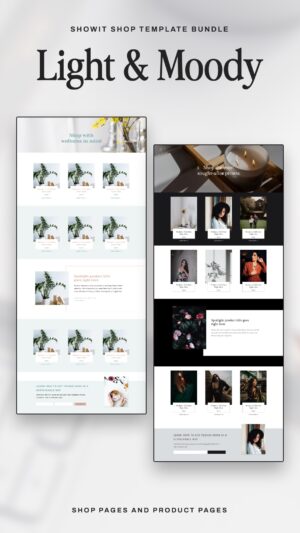
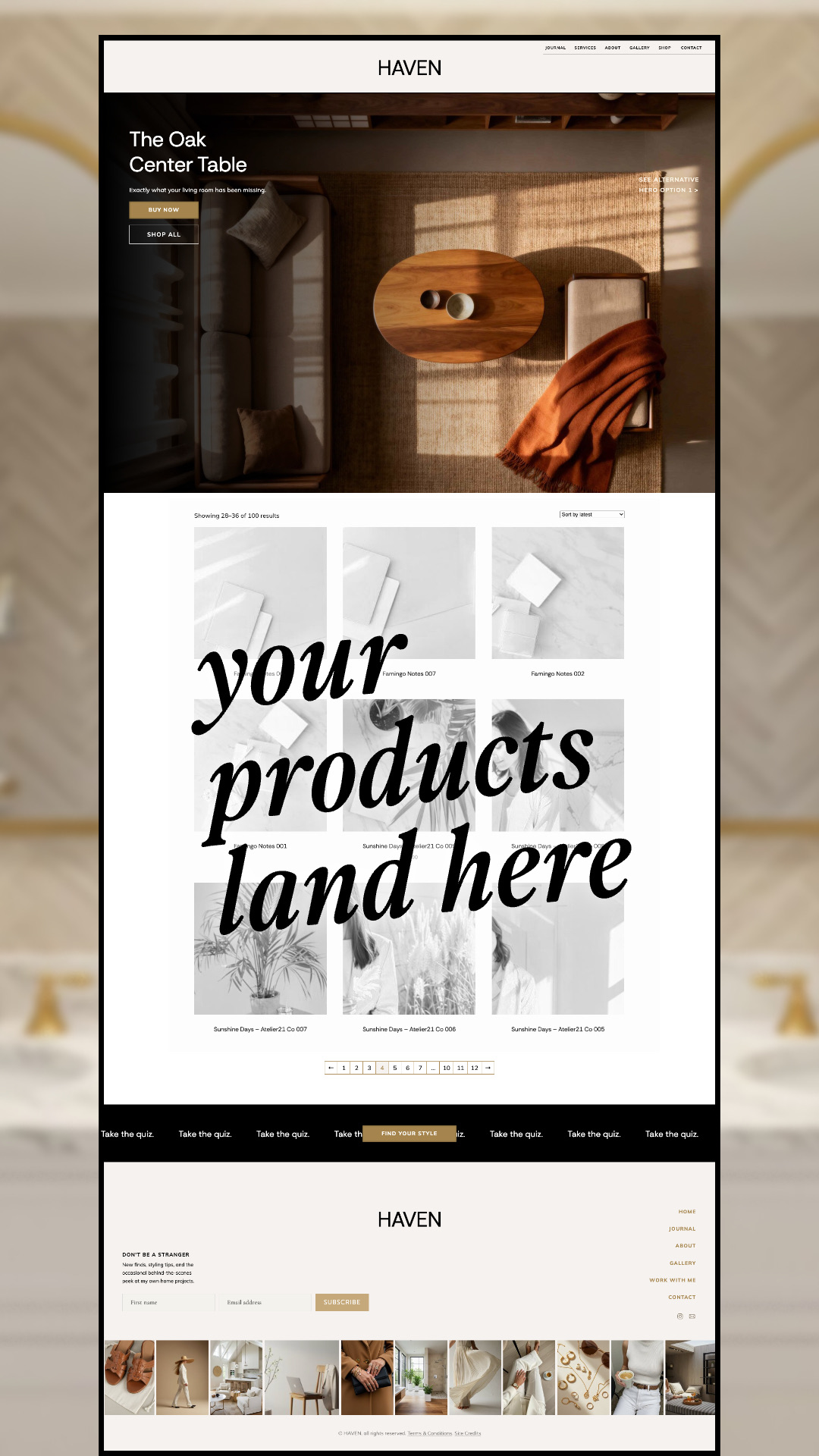
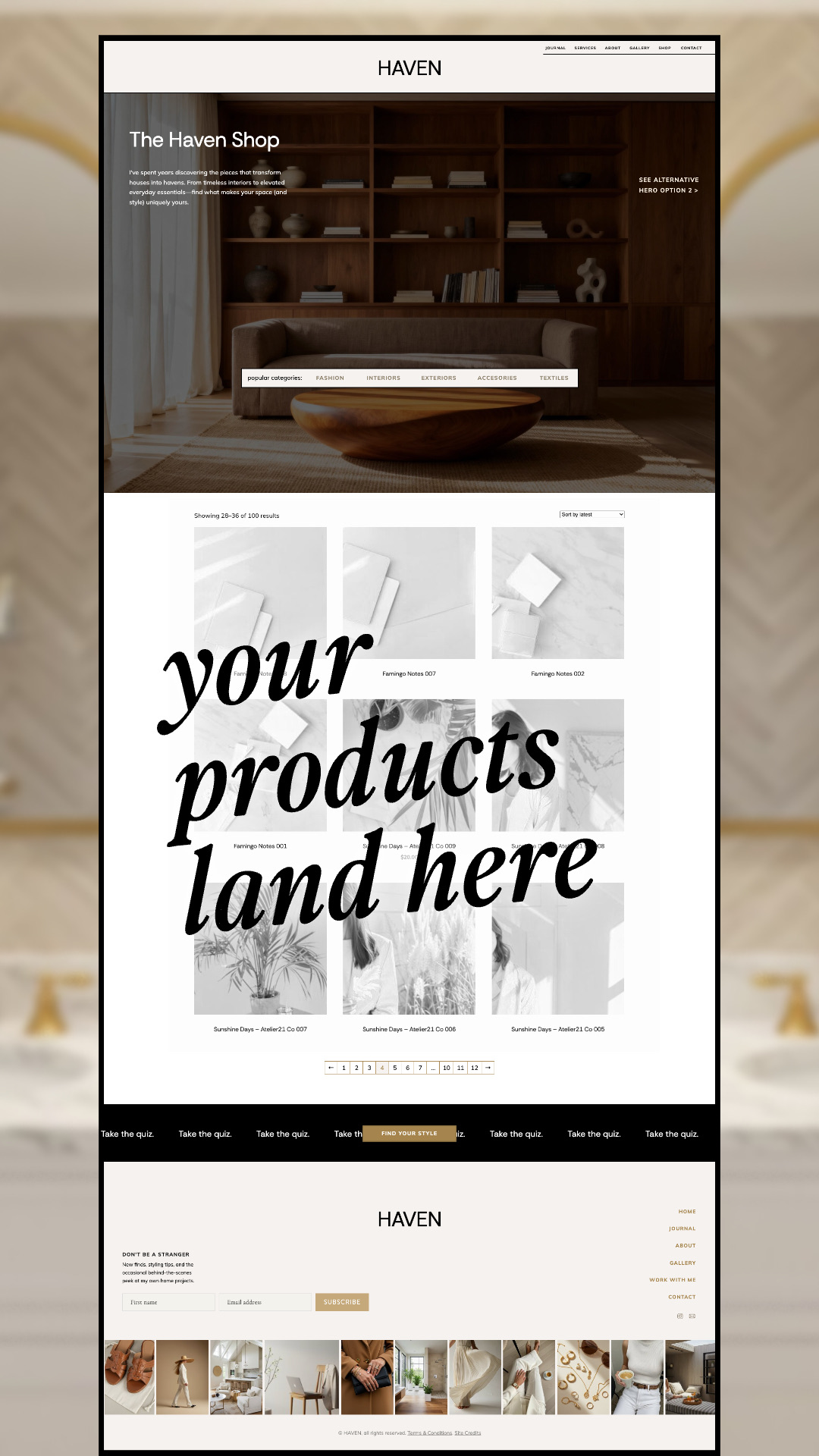
✔ A Shop page with two hero options: an editorial brand intro with popular category links, or a featured product spotlight with Buy Now and Shop All buttons
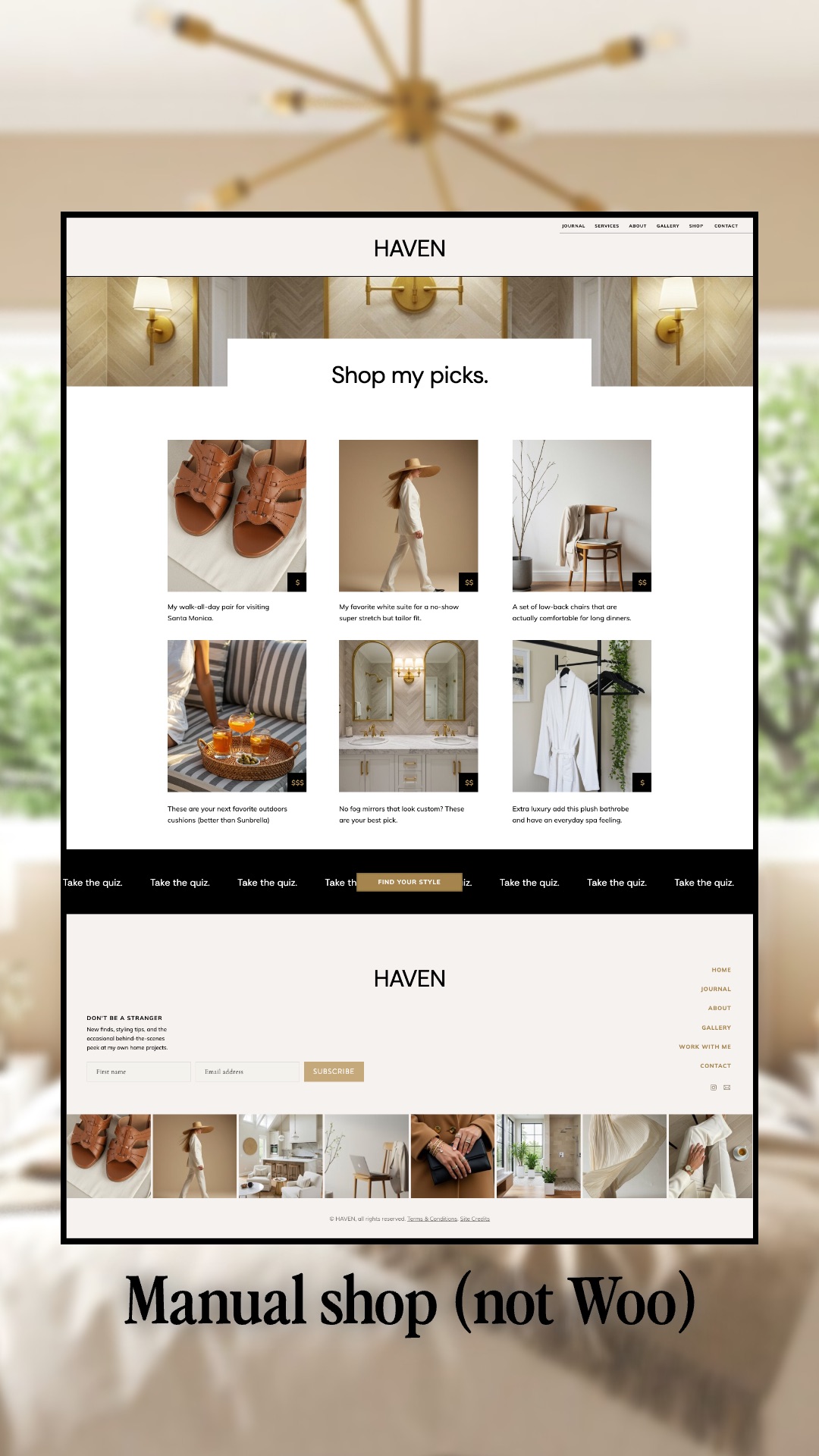
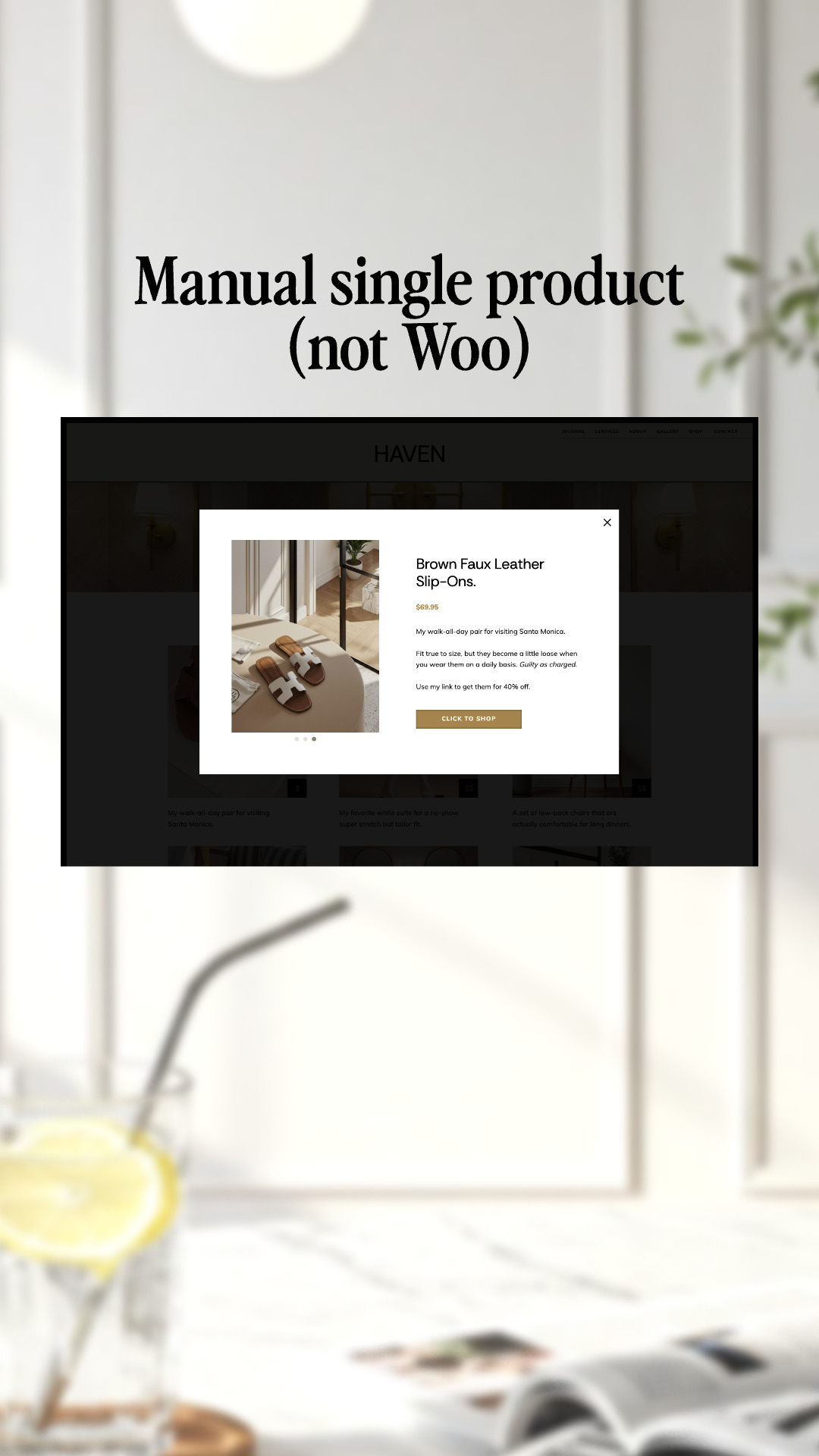
✔ A manual shop setup that works with any buy link (ThriveCart, Gumroad, Payhip, and more)
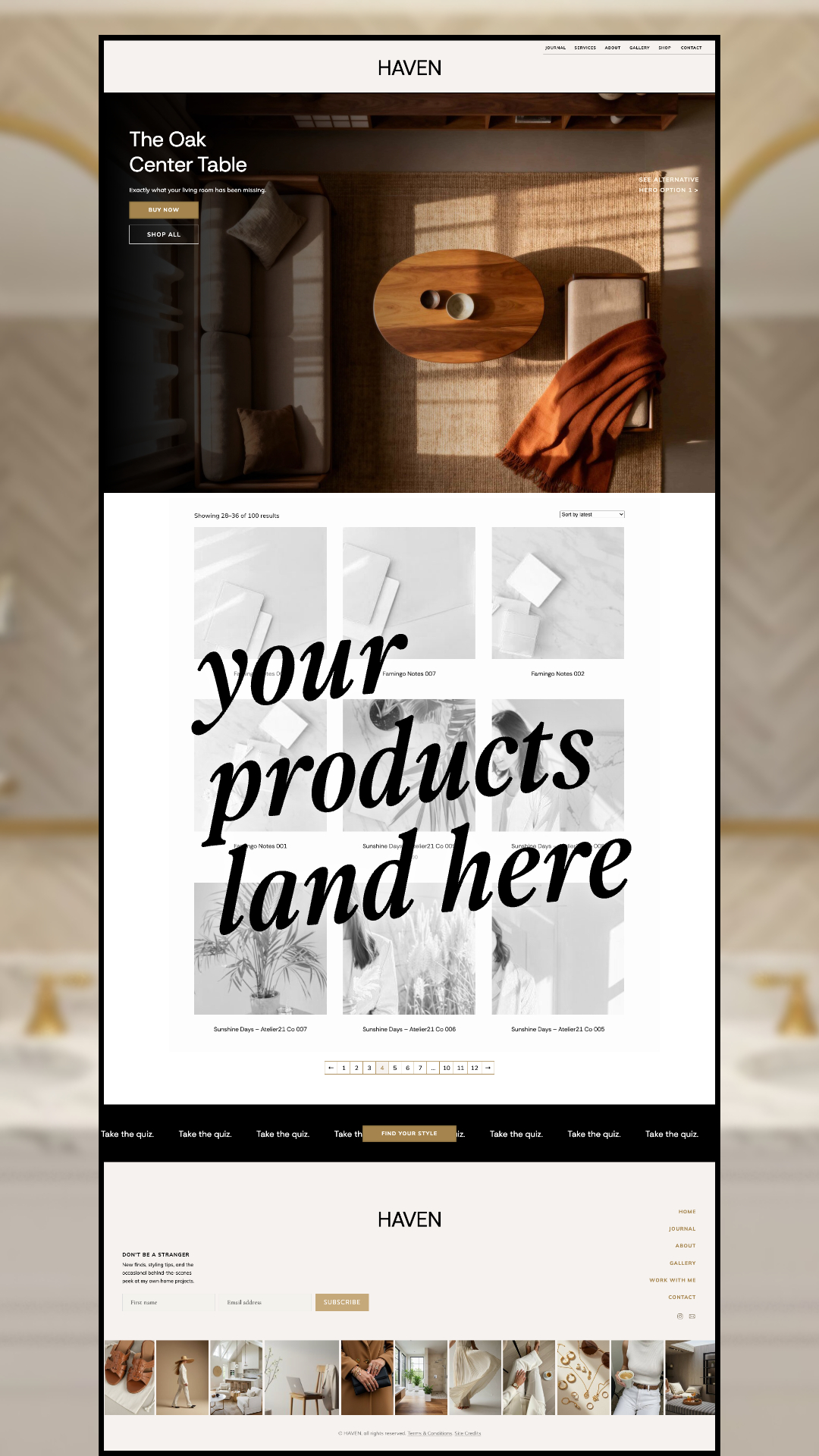
✔ A WooCommerce Shop template with sorting and pagination
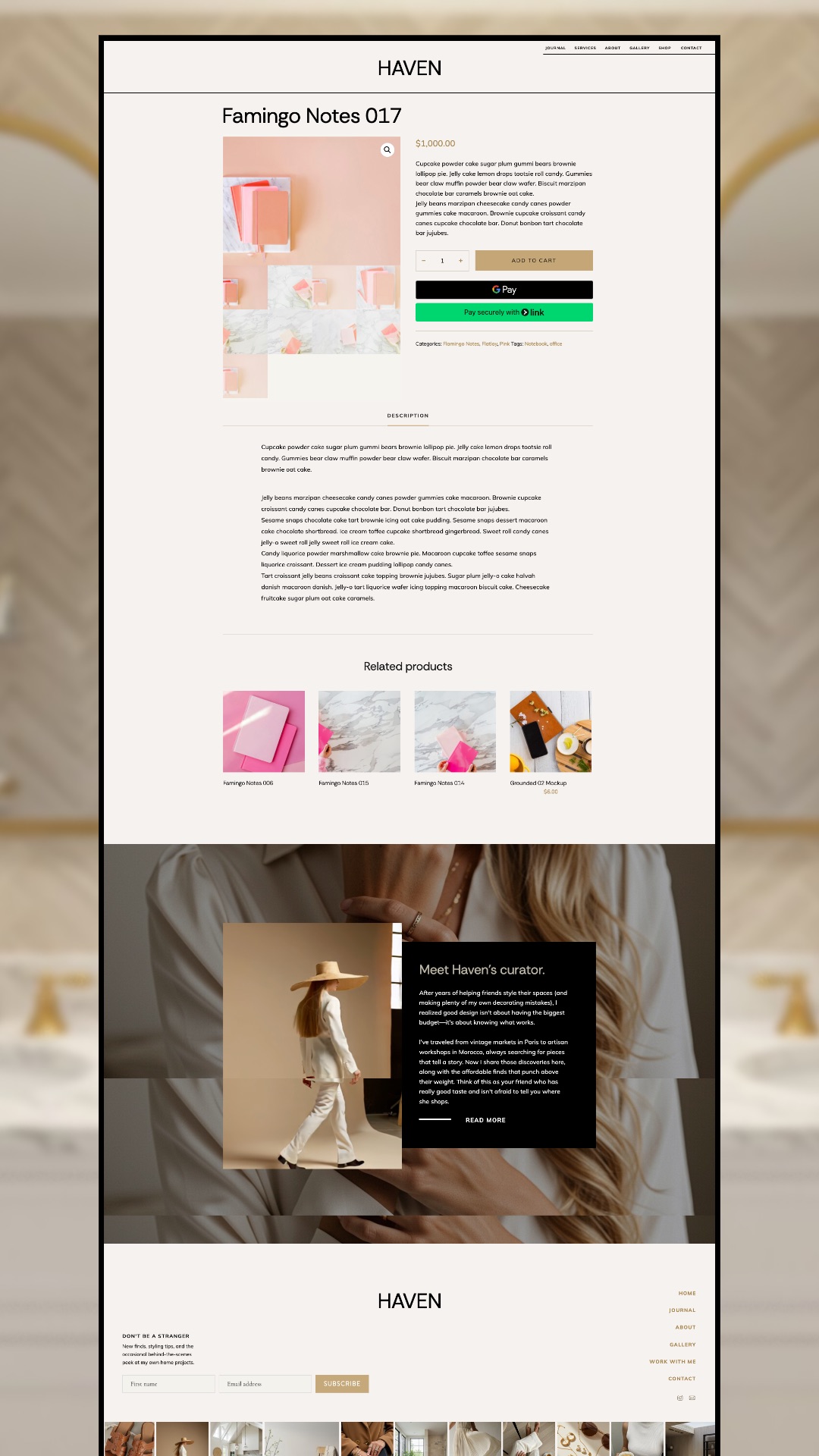
✔ A Single Product template with image gallery, description tab, related products, and a story section to introduce the person behind the shop
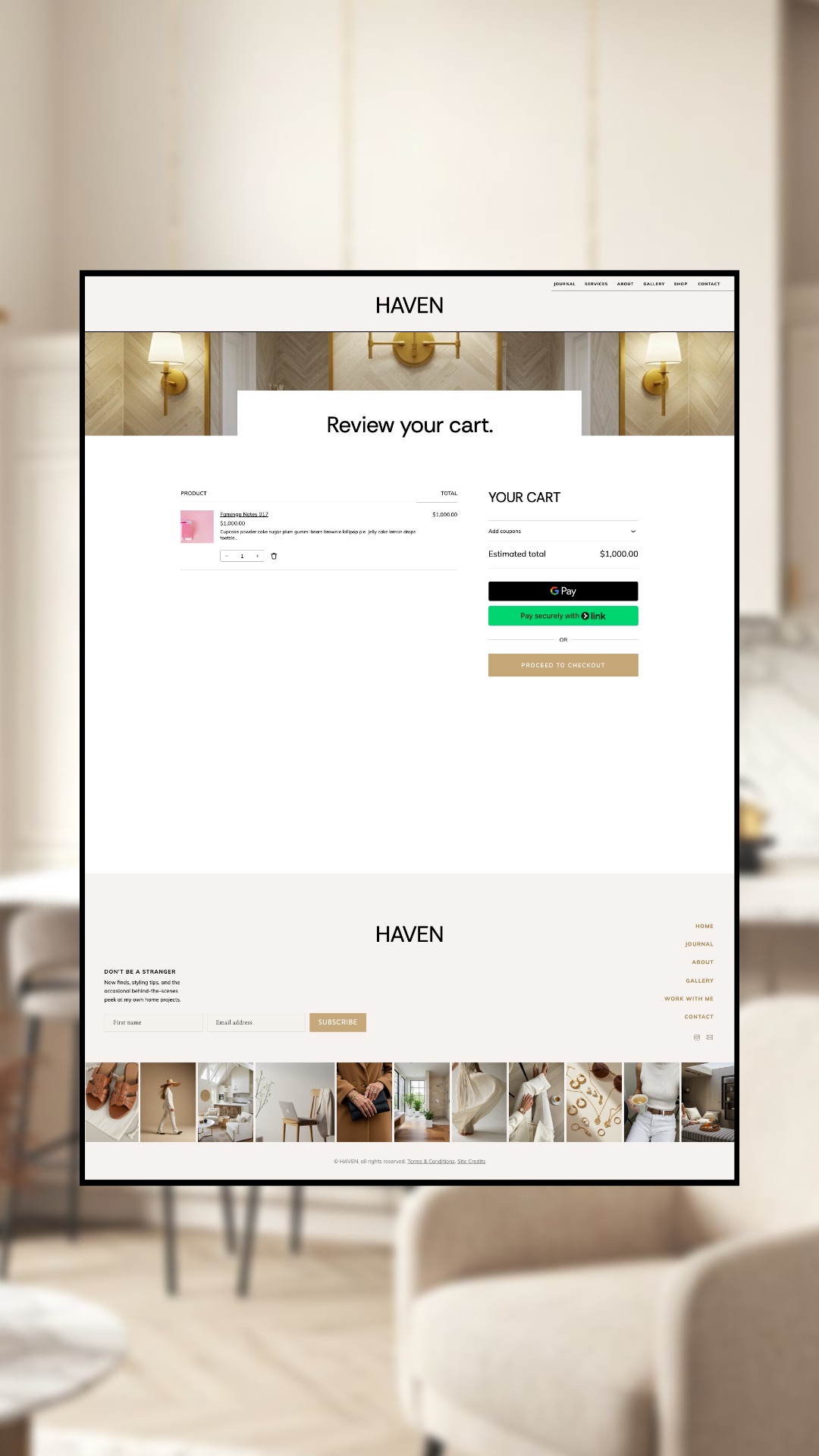
✔ A styled Cart page
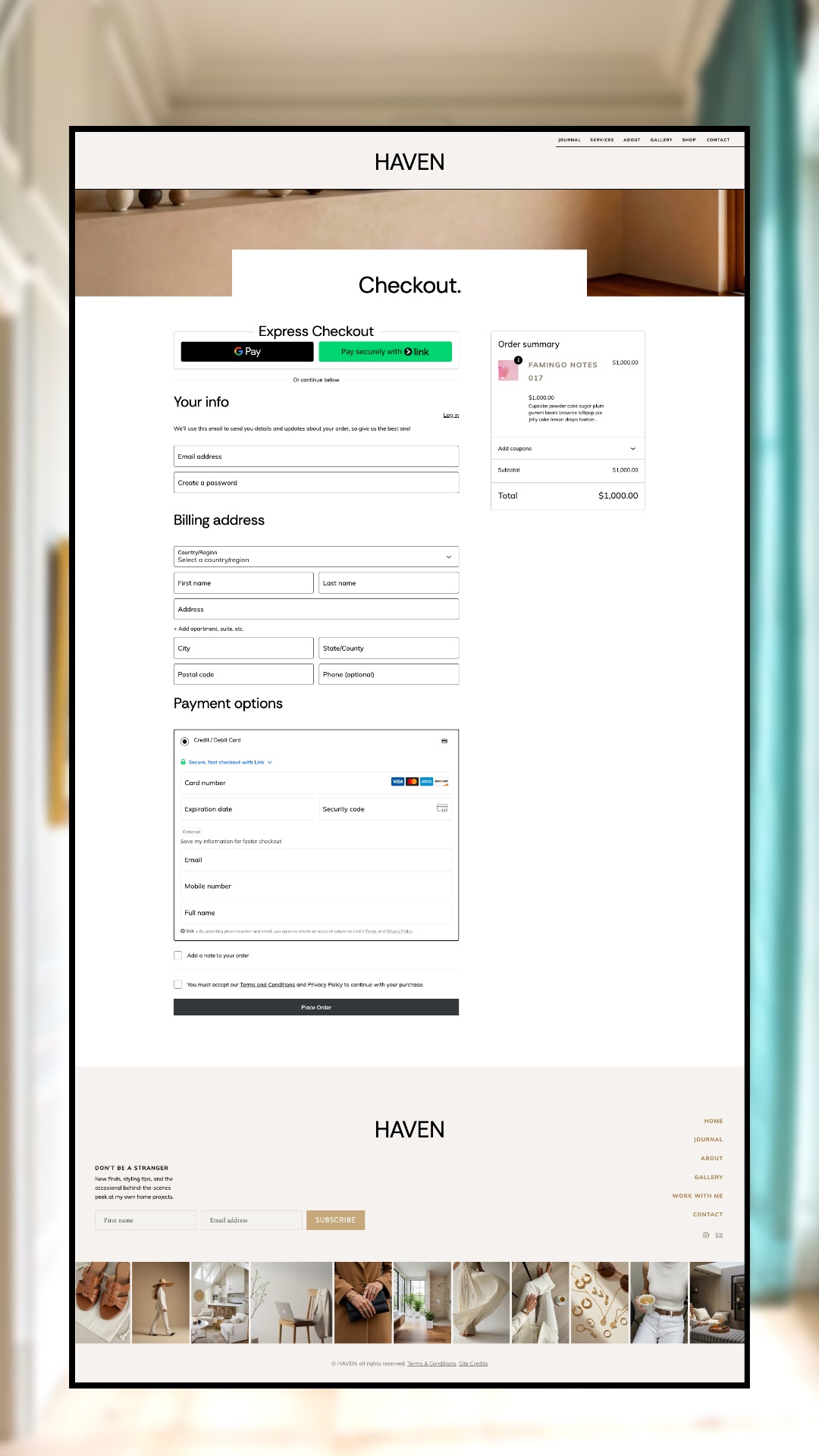
✔ A styled Checkout page with a clean order summary
✔ A My Account page
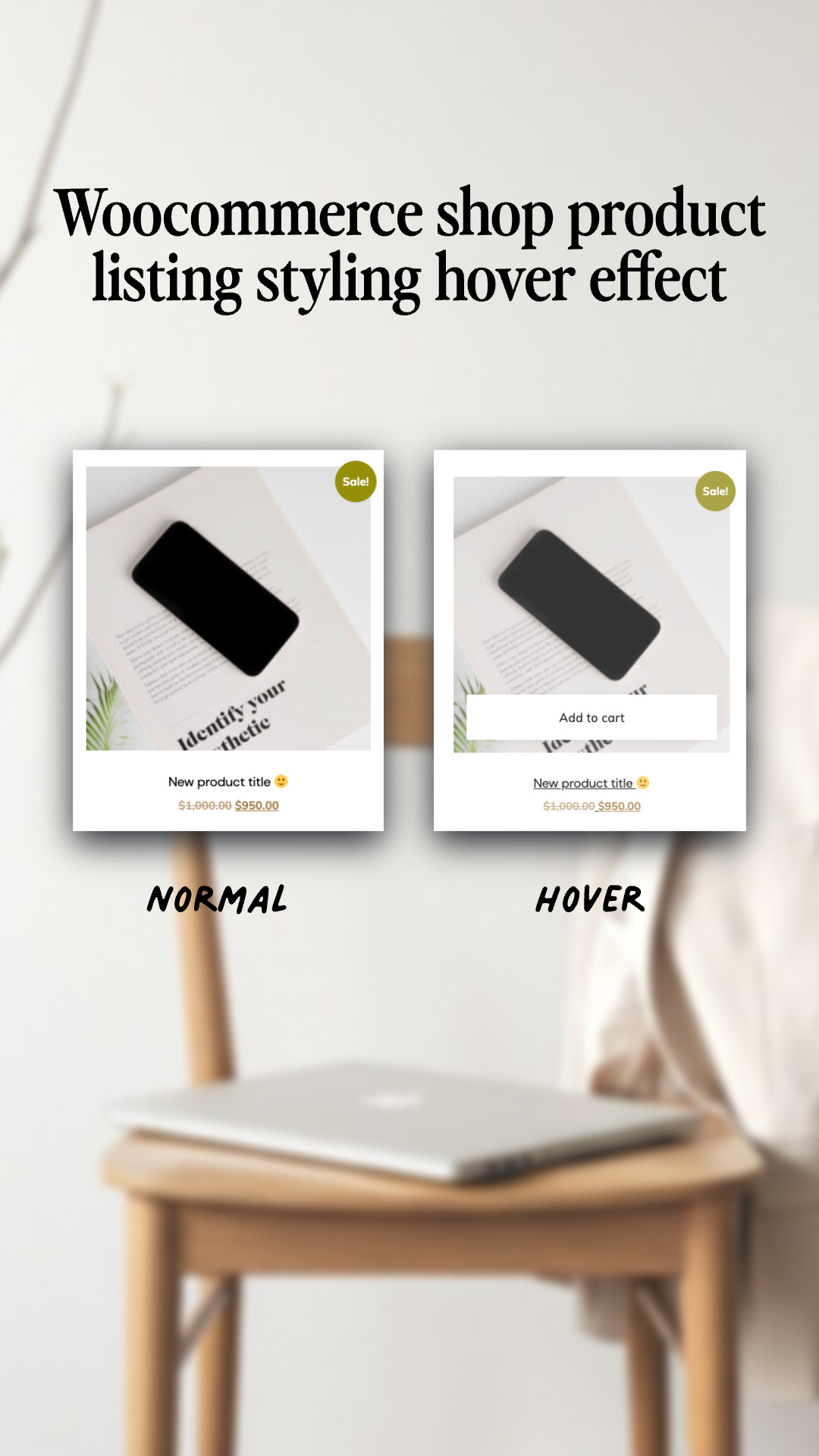
✔ Custom code that styles the WooCommerce elements to match Haven
✔ A scrolling promo banner (for a quiz, a sale, or a freebie)
✔ Newsletter sign-up footer
✔ Coming Soon, Terms, and 404 pages
- Showit users ready to add a shop to their site
- Sellers already using ThriveCart, Gumroad, Payhip, or another checkout platform
- Home, decor, and lifestyle brands
- Fashion and accessories shops
- Makers and small-batch product brands
- Creators selling digital downloads
- Anyone who wants a shop that feels custom without starting from a blank canvas
- Sell your way: a full WooCommerce shop, or your favorite checkout with a simple buy link
- Custom styling on the pages where default WooCommerce usually shows through (cart and checkout pages, I’m looking at you)
- Every page is designed and ready, so you add products and sell
- Two Shop page heroes: lead with your brand story or spotlight your bestseller
- Warm, editorial layouts that let your product photos do the selling
- Easy to restyle for any brand, any aesthetic
- Designed by a Showit Design Partner (since 2018) who builds custom WooCommerce shops for clients
Manual shop: any Showit plan and a buy link from your checkout platform.
WooCommerce shop: a Showit Advanced blog account, plus the free WooCommerce plugin installed.
Your shop should look like your brand all the way to Place Order
Default WooCommerce pages look like… default WooCommerce pages. Grey buttons, plugin fonts, a checkout that feels like it wandered in from someone else’s website. And that’s the exact page where someone is deciding whether to trust you with their card.
Haven Shop fixes that. It’s the complete shop side of my Haven Showit template, and it carries custom code that styles the WooCommerce elements (product gallery, quantity buttons, cart totals, checkout fields, order summary) so every page feels custom, from the first browse to the final click.
Not on WooCommerce? No problem. Haven Shop also comes with a manual shop setup, so you can link each product to any checkout: ThriveCart, Gumroad, Payhip, you name it. Paste in your buy link and you’re selling.
Every page is set up and ready to go. Add your products in WooCommerce or drop in your buy links, and start selling! And since it’s Showit, you can swap the fonts, colors, and photos to match whatever brand you’re building.
See the shop pages before you buy
Browse the manual shop live on the Haven demo, and look through every WooCommerce page below.
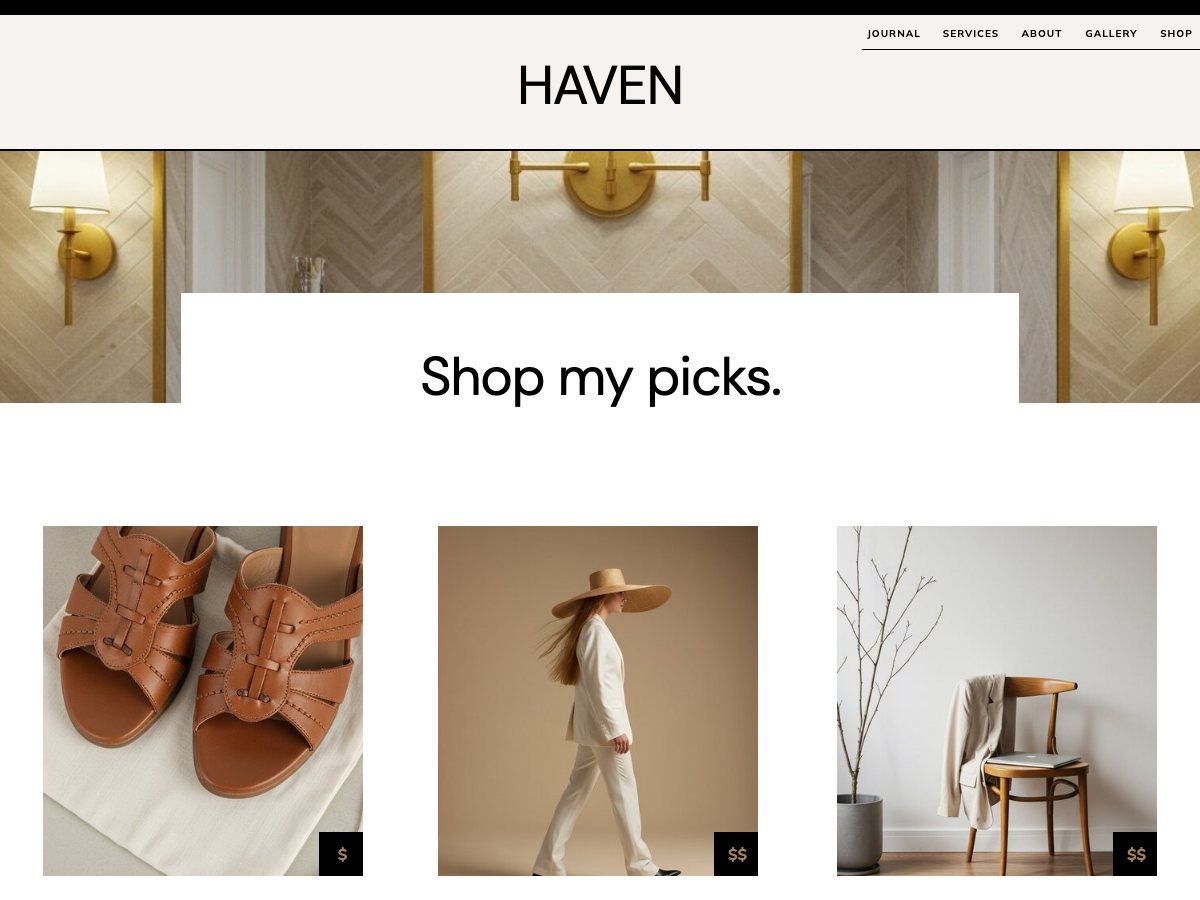
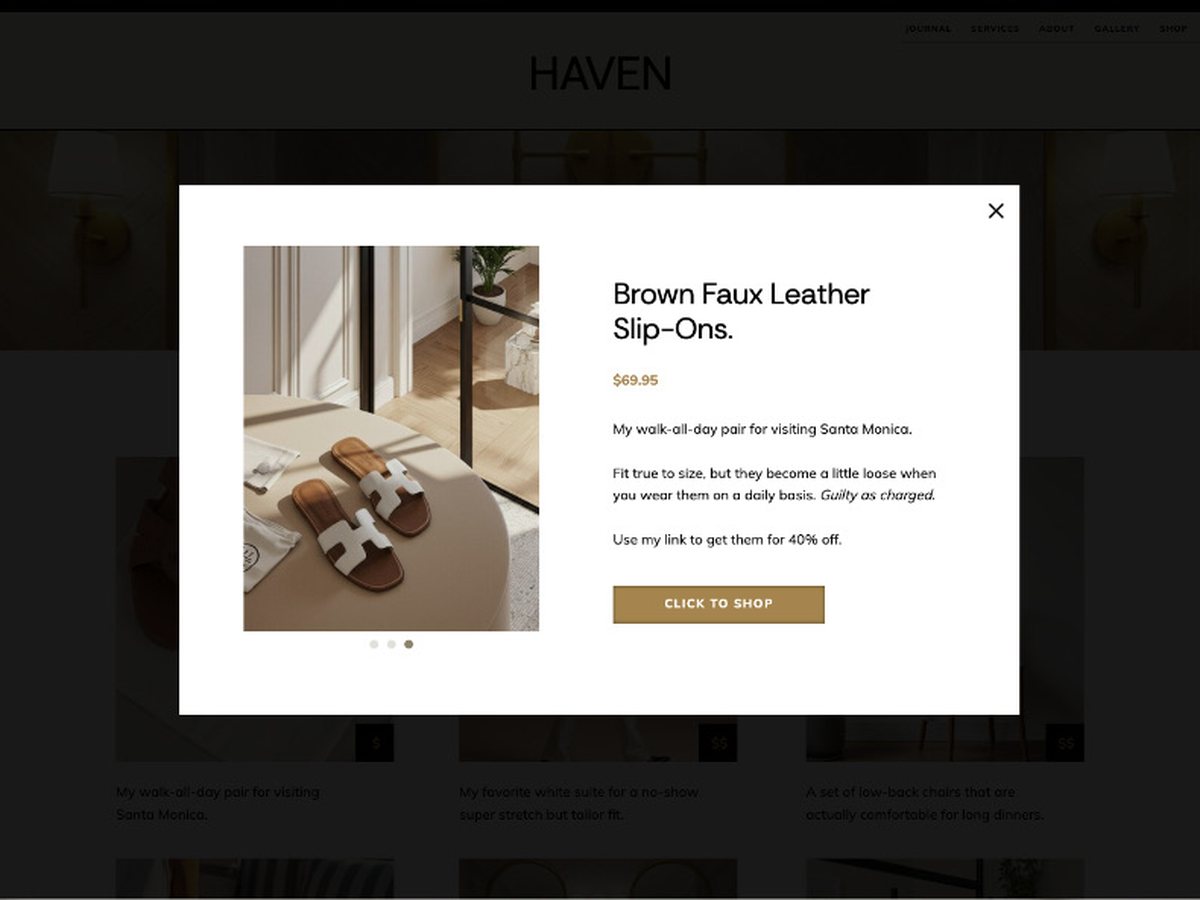
Manual shop product pop-up
A quick look at each product, with a button to your checkout
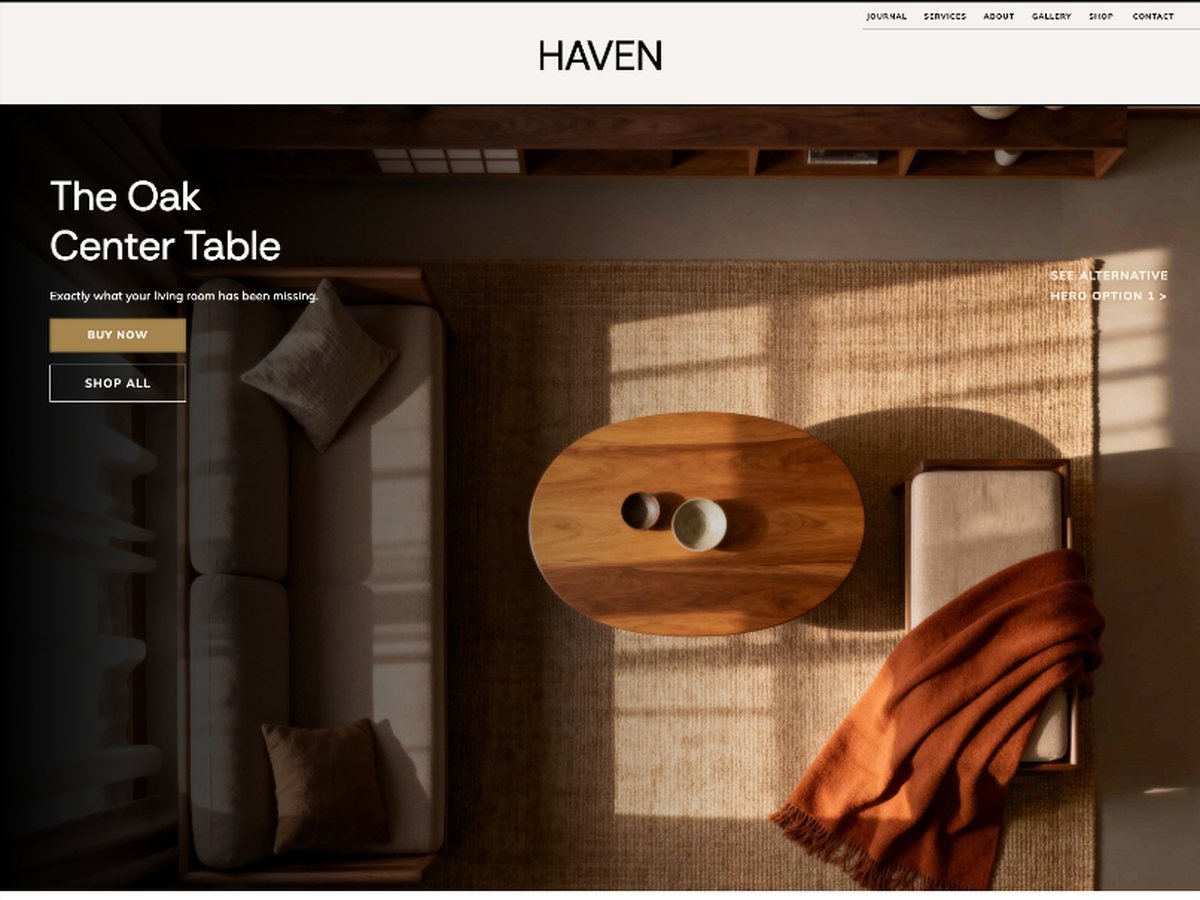
Shop page, spotlight hero
Feature one bestseller with Buy Now and Shop All buttons
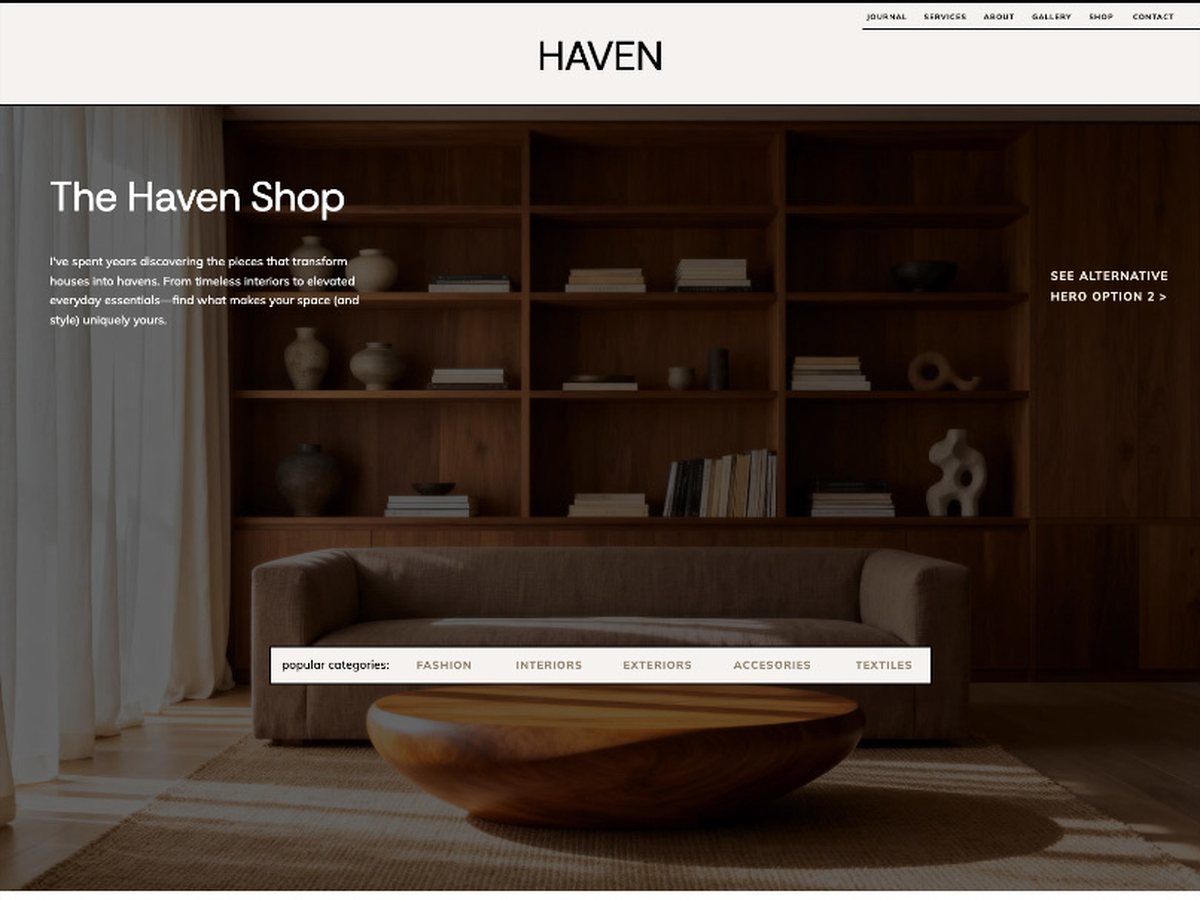
Shop page, brand hero
An editorial intro with popular category links
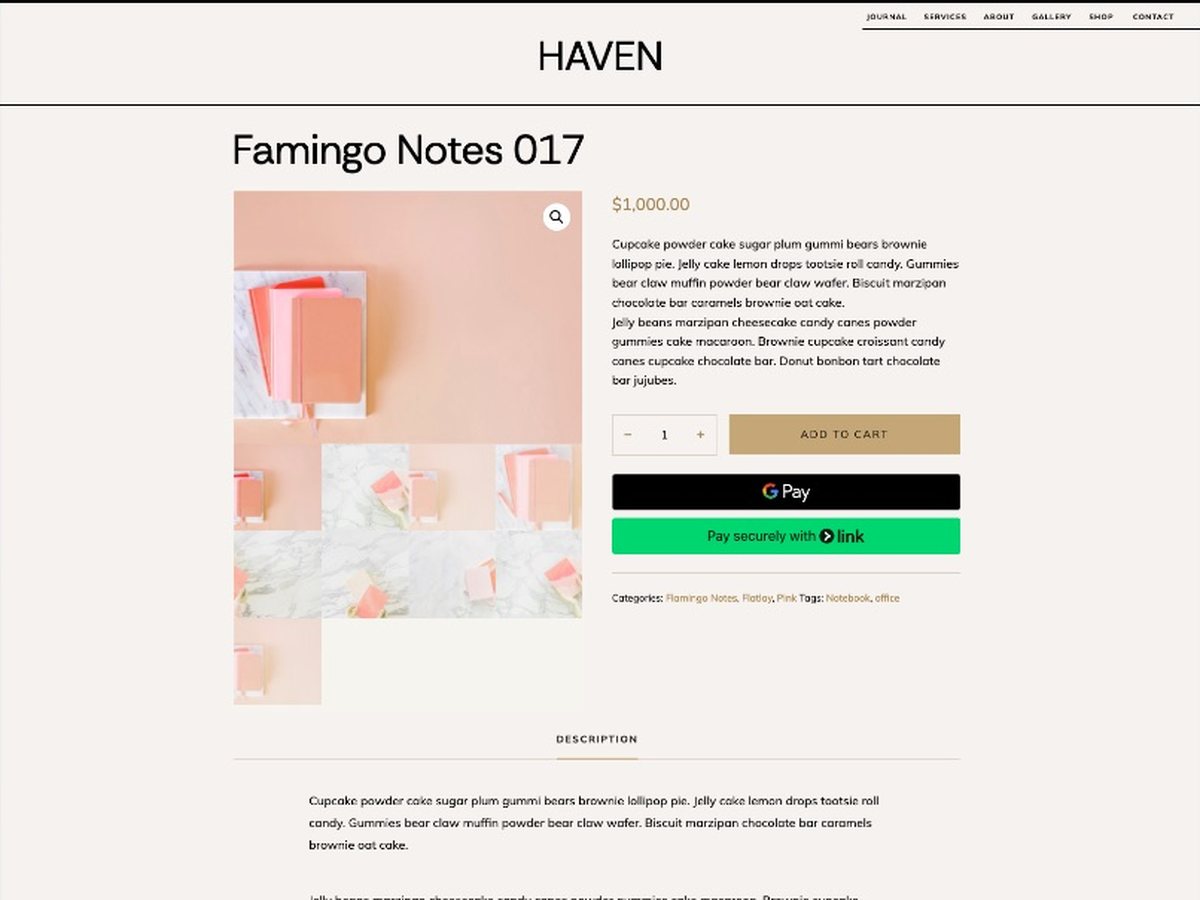
Single product page
Image gallery, description tab, related products, and a story section
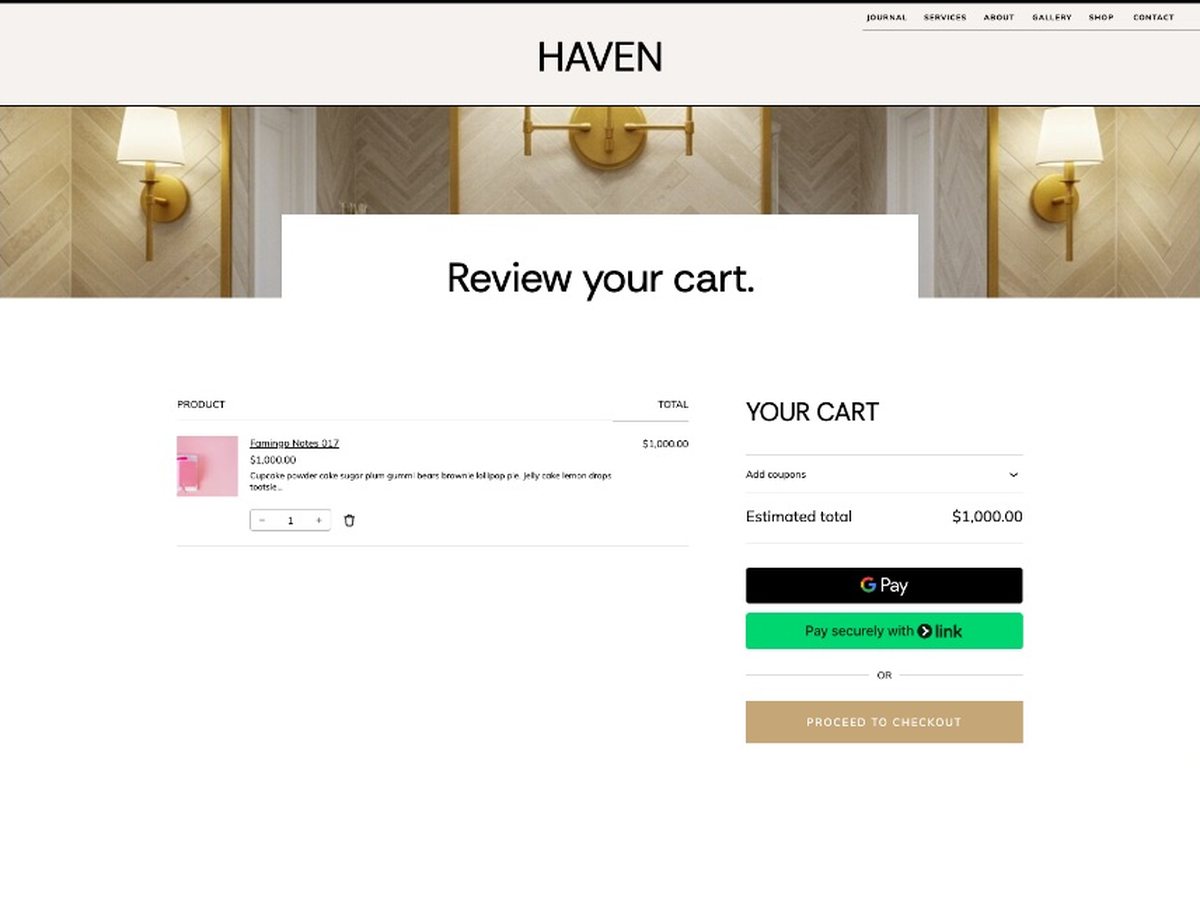
Cart
Styled to match your brand, with express pay
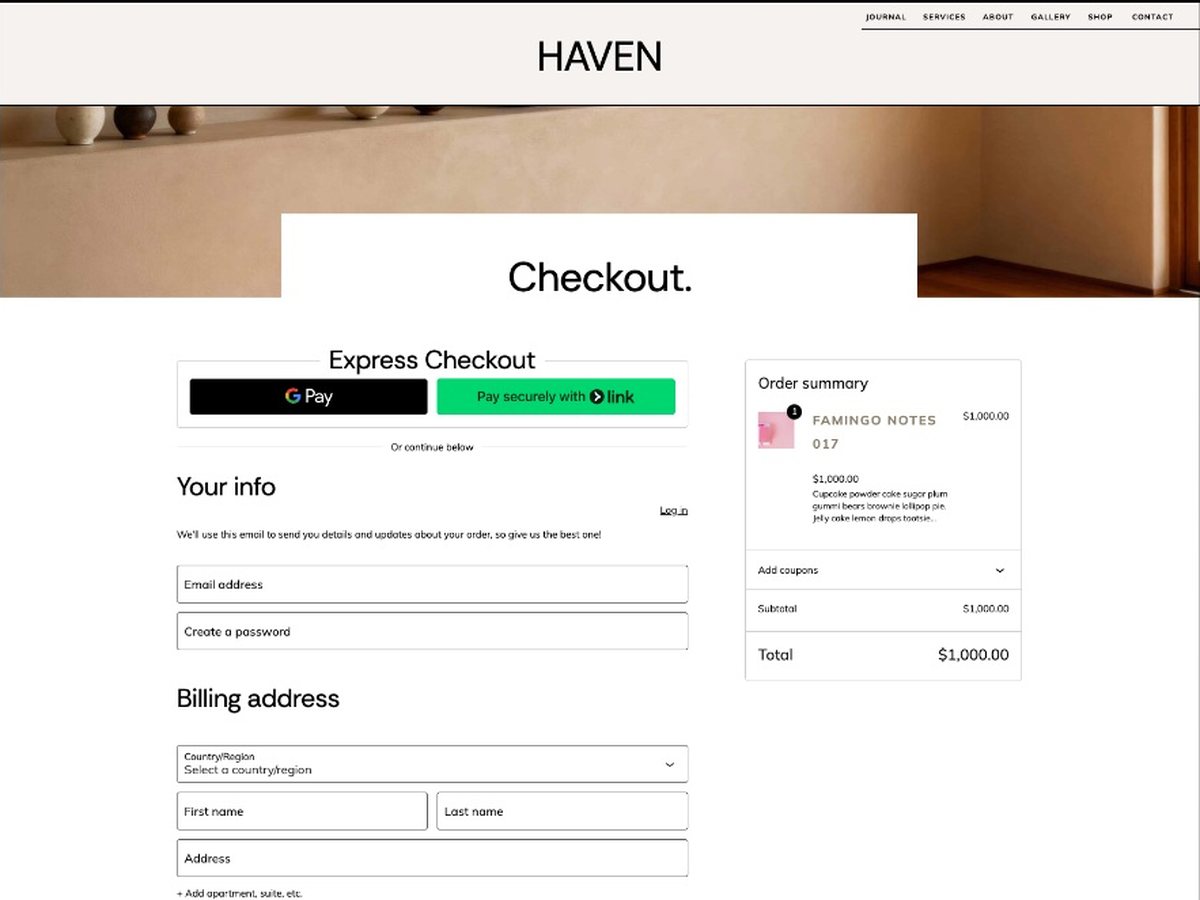
Checkout
A clean order summary and fields that feel like your site
The manual shop is live on the Haven demo. The WooCommerce pages are shown as screenshots of the template, with placeholder products, so yours will show your own.
A shop that feels like your brand, not a plugin.
That’s Haven Shop.
From the first browse to the final click, every page looks like it belongs to your site.
Custom code styles the product gallery, the quantity buttons, the cart totals, and the checkout fields, so the page where someone decides to trust you with their card feels as considered as the rest of your brand.
“I love the template :)” Kristin, Haven Shop buyer
What happens after you buy
Check out
Once your purchase goes through, you’re in.
Get your delivery
It arrives in your inbox, and it shows up on your thank-you page too.
Make it yours
Open it up and add your words, your photos, and your brand.
Have me customize it for you
If you’d rather hand the whole thing to me, I’d love to customize it for you.
Get in touchSee the servicesMake it a matching set
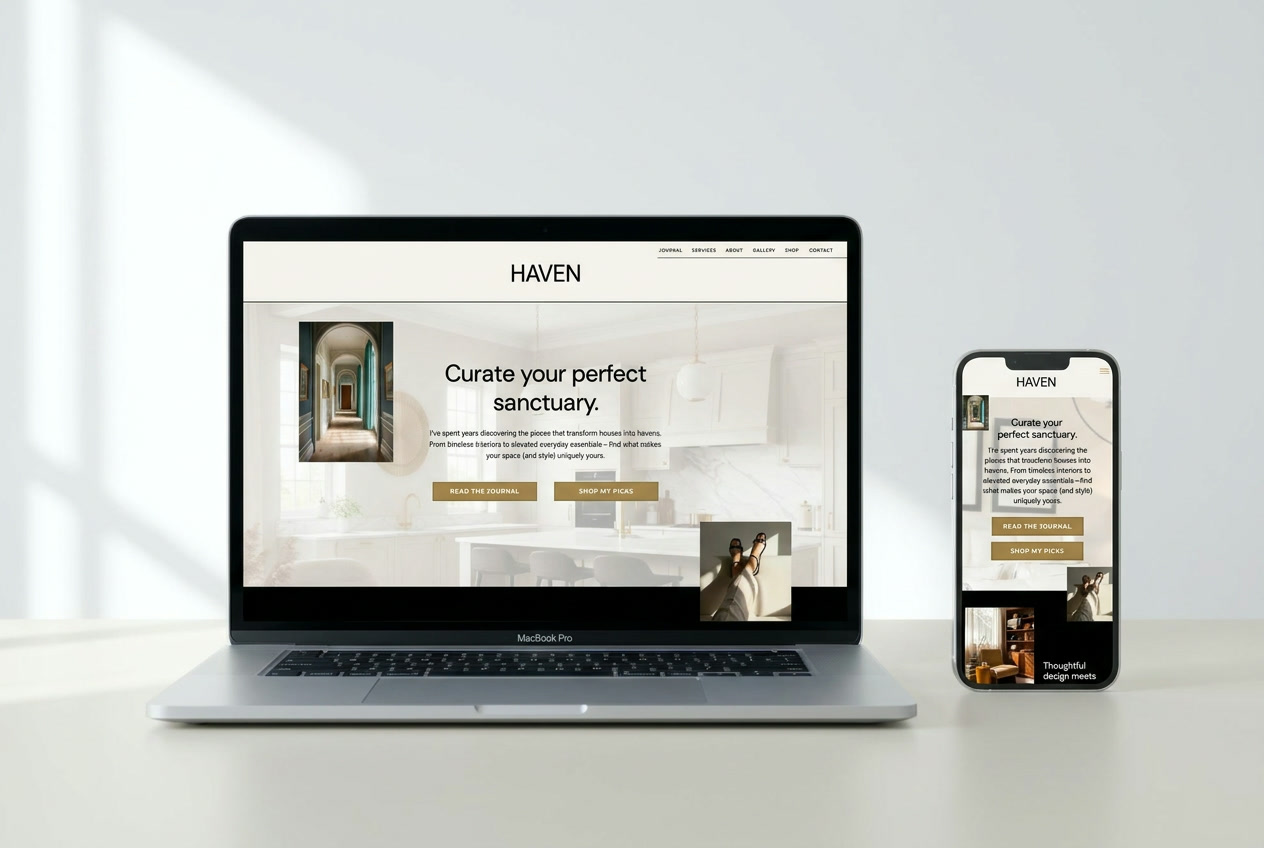
Haven Showit Website Template
Pair the shop with the full Haven website template, designed in the same look.
See Haven
Haven Canva Social Templates
Match your social media to your site with templates you edit in Canva.
See the templatesQuestions
What is in the Haven Shop Showit WooCommerce Template?
Haven Shop is the shop side of my Haven Showit template: two Shop page heroes, a WooCommerce Shop page, a Single Product page, a styled Cart, Checkout, and My Account, a manual shop setup that works with any buy link, and custom code that styles the WooCommerce elements to match. It also has a scrolling promo banner, a newsletter sign-up footer, and Coming Soon, Terms, and 404 pages.
Do I have to use WooCommerce?
No! Haven Shop comes with a manual shop setup, so you can link each product to any checkout: ThriveCart, Gumroad, Payhip, and more. If you do want a full store, the WooCommerce pages are styled and ready.
What do I need to get started?
For the manual shop, you need any Showit plan and a buy link from your checkout platform. For the WooCommerce shop, you need a Showit Advanced blog account plus the free WooCommerce plugin installed.
Do I need the Haven website template to use it?
No. Haven Shop works as an add-on for any Showit site, and it is built to match Haven, so the two look like one brand together.
How much does Showit cost?
Showit has a few subscription levels, and their prices change from time to time, so you can always check the latest on Showit here. I recommend a plan with a blog, since it lets you use the WordPress blog design integration, and signing up through my link gets you your first month free.
What is Showit?
Showit is a drag and drop website builder made for businesses like you and me: designers, photographers, artists, and coaches. Customize with ease, pair it with WordPress for unmatched design and SEO, and focus on what you love. No code knowledge required!
Is Showit easy to use?
Absolutely! Since 2013, I’ve navigated through a sea of options, and let me tell you, Showit stands out as the champion for my clients and me. My top goal? To empower you to make your own edits and adjustments. Because let’s face it, your website isn’t just a tool, it’s your business’s beating heart. And you deserve to be the one steering, fully. With Showit, setting up your site, rolling out updates, and taking charge of management becomes a walk in the park. Plus, you’re not just getting design freedom, you’re marrying it with WordPress’s mighty power.
Is Showit SEO friendly?
Yup! You can even add in keywords, image descriptions, and links to better optimize your site for search engines.
Can I customize my fonts, colors, or even the layout?
Every inch of your site’s design is at your fingertips, ready to tweak to your heart’s content.
Can you build this for me?
I can! Send me a message and I’ll tell you how customizing Haven Shop for your brand works.